How to link Unsplash images directly to your jekyll blog
Unsplash is one of the most popular source of high-resolution images on internet. There are several API available to get the Unsplash images to your blog if your are using Medium, or even Wordpress. But if you are using jekyll and don’t want to overload your blog with unnecessary plugins, then you have come to the right place. I will show you how you can easily link unsplash images to your blog and can easily make that featured (or teaser) image or even embed into your posts.
Key idea — a hotlinked image is just a URL in your front matter. You never download or host the picture; you point the teaser: (or an <img src>) at Unsplash’s image CDN and the browser fetches it. Because the CDN is powered by Imgix, you resize and crop in the URL itself with query parameters like ?w=600&h=300&fit=crop — no plugin, no local files.
Important — source.unsplash.com no longer works. This post originally used the handy https://source.unsplash.com/<id>/<size> shortcut. Unsplash deprecated that service in 2021 and shut it down in 2024 — those URLs now return a 503 error, so any old teaser built this way is a broken image today.
Use the direct CDN URL instead. On unsplash.com, open a photo, right-click it and “Copy image address” — you’ll get an https://images.unsplash.com/photo-… URL. Append Imgix sizing parameters to it, e.g.:
https://images.unsplash.com/photo-1506905925346-21bda4d32df4?w=600&h=300&fit=crop
w/h set the dimensions and fit=crop keeps the aspect ratio. For anything programmatic (search, random-by-topic, attribution), use the official Unsplash API with a free access key. Please also follow Unsplash’s attribution guidelines when hotlinking.
Video Tutorial
Make unsplash image as your featured image for blog post
Every blog post on jekyll starts with a front matter. Here, you can add several meta data to your blog post. The featured image or the teaser is also defined at this location.
---
title: "A quick tutorial on machine learning"
date: 2021-04-10
tags:
  [machine learning, earth inversion,
  ]
excerpt: "Add the summary of the post"
mathjax: "true"
header:
  teaser: "https://source.unsplash.com/gySMaocSdqs/600x300"
classes:
  - wide
sidebar:
  nav: "docs"
category: machinelearning
---
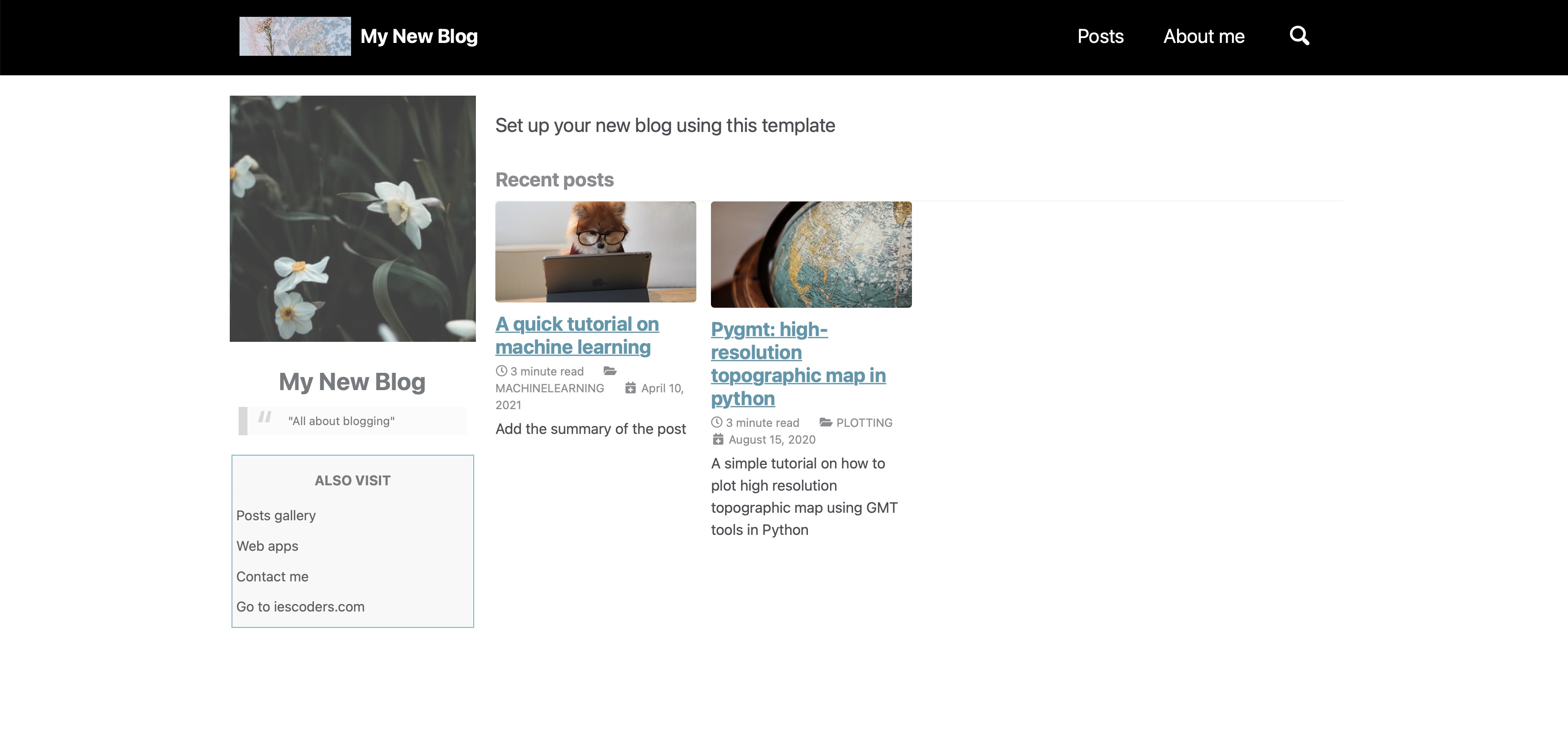
As you can notice that I have added teaser as https://source.unsplash.com/gySMaocSdqs/600x300. When you want to add any image to your site, you can find the image on unsplash website, and then copy its ID (e.g., gySMaocSdqs). Then you can structure your link by concatenating https://source.unsplash.com, gySMaocSdqs, and other requests if you want.
For the above teaser, I requested the image in specific dimension 600x300. You can also simply define the width only (e.g. https://source.unsplash.com/gySMaocSdqs/w=600).
Updated for today: since source.unsplash.com is retired, the same teaser now looks like this — a direct CDN URL with sizing in the query string:
header:
  teaser: "https://images.unsplash.com/photo-1506905925346-21bda4d32df4?w=600&h=300&fit=crop"
Adding unsplash image inside a blog post
The link structure would be same as in the previous section. All you will have to do is embed the image as you would insert any image.

Or, if your prefer html:
<img src="https://source.unsplash.com/gySMaocSdqs/600x300" alt="Unsplash computer image with cat">
With the current CDN URLs, those two embeds become:
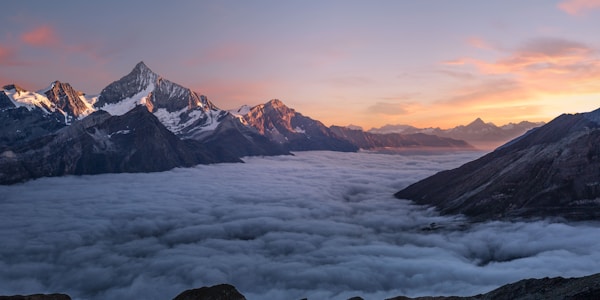
<img src="https://images.unsplash.com/photo-1506905925346-21bda4d32df4?w=600&h=300&fit=crop" alt="Unsplash computer image">
Quick check: Your old posts use https://source.unsplash.com/<id>/600x300 teasers and the images have stopped loading. What’s the fix?
Recap
- Hotlinking = a URL, not a file. Put an Unsplash image URL in your
teaser:or<img src>and skip local hosting and plugins entirely. - Size in the query string. The
images.unsplash.comCDN is Imgix-backed, so?w=600&h=300&fit=cropresizes and crops on the fly. source.unsplash.comis gone. Deprecated in 2021, shut down in 2024 (now503); replace oldsource.unsplash.com/<id>/<size>links with directimages.unsplash.com/photo-…URLs.- Go official for automation. The Unsplash API (free key) covers search, random images, and proper attribution.
Where to go next
- Unsplash API documentation: unsplash.com/documentation
- Unsplash attribution guidelines: help.unsplash.com — guideline: attribution
- Imgix URL parameters (used by the CDN): docs.imgix.com/apis/rendering
Disclaimer of liability
The information provided by the Earth Inversion is made available for educational purposes only.
Whilst we endeavor to keep the information up-to-date and correct. Earth Inversion makes no representations or warranties of any kind, express or implied about the completeness, accuracy, reliability, suitability or availability with respect to the website or the information, products, services or related graphics content on the website for any purpose.
UNDER NO CIRCUMSTANCE SHALL WE HAVE ANY LIABILITY TO YOU FOR ANY LOSS OR DAMAGE OF ANY KIND INCURRED AS A RESULT OF THE USE OF THE SITE OR RELIANCE ON ANY INFORMATION PROVIDED ON THE SITE. ANY RELIANCE YOU PLACED ON SUCH MATERIAL IS THEREFORE STRICTLY AT YOUR OWN RISK.
Leave a comment