Perform Distributed Computing easily using Ray in Python
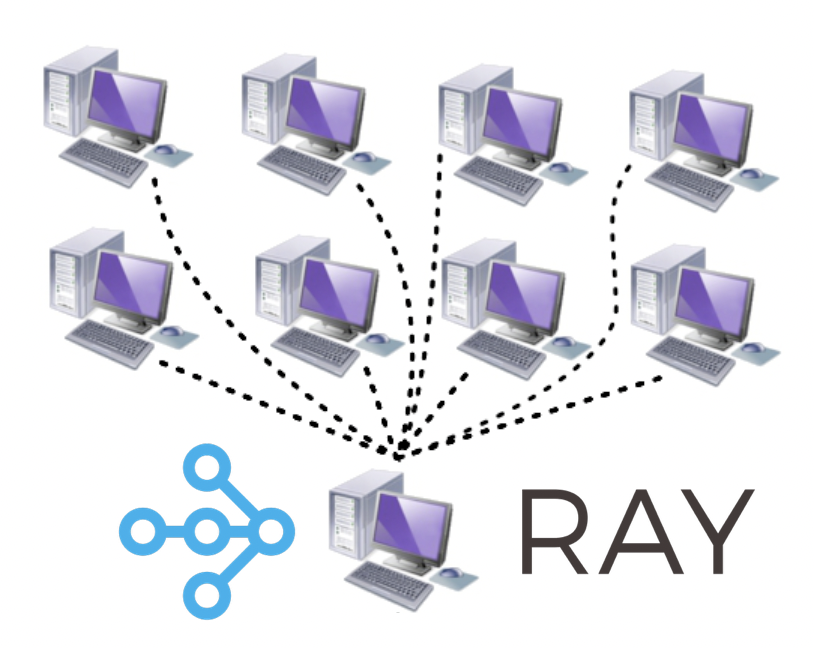
We have seen in a previous post how to use threading and multiprocessing to perform our computations concurrently. Even a single processor computer with multiple CPU cores (a processor has one or more cores, and a computer has one or more processors) gives the illusion of being able to run multiple tasks at the same time. When we have multiple processors, then we can execute our computations truly in a parallel fashion.
Key idea — Ray turns ordinary functions into tasks whose calls return futures, not results. Add the @ray.remote decorator and call the function with .remote(...). That call returns immediately with an ObjectRef (a handle to a result that isn’t ready yet), so your loop can launch every task without waiting. Ray schedules them across all your cores — or across many machines — and you only block when you finally call ray.get(...) to collect the answers.
Parallel and Distributed computing
Parallel computing is very useful and almost a necessity in modern computing with the goal to achieve maximum performance. We divide the longer running computations into smaller chunks and parcel them out to different processors. This strategy allows us to do more computation in the same amount of time. For building GUI-based applications, parallel design of the system is always required so that one thread can stay available to update the GUI and respond to the user inputs.
The difference between parallel and distributed computing is that for parallel computing the multiple processors reside on the same motherboard. Distributed computing uses multiple computers simultaneously to solve a problem. Modern distributed systems are able to communicate over networks (LAN/WAN). The advantage of distributed computing is its price and scalability. If we need more power, then we can easily add more computers.
Essentially, the architecture for the parallel and distributed computing is very similar. The main difference comes from having distributed memory space rather than shared memory space for distributed computing. Having a software layer that could present our application with a unified logical (instead of physical) memory space, can help us run the codes written for parallel computing for a distributed computing.
In this post, we will see how we can use an open-source Python library Ray to help us perform parallel and distributed computing. Ray takes Pythonic functions and classes and translates them for the distributed setting as tasks and actors. We will see the examples for the functions only, however the concept is very similar for the classes.
Install Ray using pip
This install Ray with support for the dashboard + cluster launcher.
pip install 'ray[default]'
If you want the minimal installation:
pip install -U ray
Parallel computation with Tasks in Ray
Let us execute an example from our previous post that we run using concurrent.futures and compare that with our run with ray for the same task.
import time
import concurrent.futures


Stime = time.perf_counter()
tasks = []
sleepTimes = [0.1, 0.2, 0.1, 0.5, 0.7, 0.9, 0.5,
              0.4, 1.5, 1.3, 1.0, 0.3, 0.7, 0.6, 0.3, 0.8]
print(f"Total time of sleep: {sum(sleepTimes)} for {len(sleepTimes)} tasks")

def my_awesome_function(sleepTime=0.1):
    time.sleep(sleepTime)
    return f"Sleep time {sleepTime}"

all_results = []
with concurrent.futures.ProcessPoolExecutor() as executor:
    tasks = [executor.submit(my_awesome_function, sleep)
             for sleep in sleepTimes]

    for ff in concurrent.futures.as_completed(tasks):
        all_results.append(ff.result())


print(f"Finished in {time.perf_counter()-Stime:.2f}")
This returns
$ python test_ray.py
Total time of sleep: 9.9 for 16 tasks
Finished in 1.65
This job would take 9.9 secs to finish in sequence. Because we performed parallel execution, we finished the job in 1.65 secs on my computer. Note that this time may be different for your computer.
Now, let us do the same job using Ray. We first initialize the Ray using ray.init(). The the decoratory ray.remote convert the Python function to a function that can be executed remotely and asynchronously. It immediately returns N copies of the function that can be executed in parallel.
import time
import ray

import concurrent.futures


Stime = time.perf_counter()
tasks = []
sleepTimes = [0.1, 0.2, 0.1, 0.5, 0.7, 0.9, 0.5,
              0.4, 1.5, 1.3, 1.0, 0.3, 0.7, 0.6, 0.3, 0.8]
print(f"Total time of sleep: {sum(sleepTimes)} for {len(sleepTimes)} tasks")

# Start Ray.
ray.init()

@ray.remote #convert to a function that can be executed remotely and asynchronously
def my_awesome_function(sleepTime=0.1):
    time.sleep(sleepTime)
    return f"Sleep time {sleepTime}"

tasks = []
for sleep in sleepTimes:
    tasks.append(my_awesome_function.remote(sleep))

all_results = ray.get(tasks)
print(f"Finished in {time.perf_counter()-Stime:.2f}")
This returns
Total time of sleep: 9.9 for 16 tasks
Finished in 3.18
There is some delay because of overhead but that becomes negligible for large computations.
Quick check: What does my_awesome_function.remote(sleep) return?
Why the two-line .remote() / ray.get() split matters. If you called ray.get() inside the loop, you’d block on each task before starting the next — turning the parallel run back into a serial one. Launch all the .remote() calls first, collect the ObjectRefs, then ray.get() the whole list. This same core API — ray.init(), @ray.remote, .remote(), ray.get() — is still current in today’s Ray 2.x.
Aggregate values for large computations
Ray can be easily used to aggregate multiple values, which because crucial to build a large applications where we need to aggregate computations across multiple machines. For the large computations, Ray can change the aggregation’s running time from linear to logarithmic.
Let us see an example:
import time
import ray
import numpy as np

Stime = time.perf_counter()

@ray.remote
def create_matrix(size):
    return np.random.normal(size=size)

@ray.remote
def multiply_matrices(x, y):
    return np.dot(x, y)

@ray.remote
def sum_matrices(x, y):
    return np.add(x, y)

m1 = create_matrix.remote([1000, 1000])
m2 = create_matrix.remote([1000, 1000])
m3 = create_matrix.remote([1000, 1000])
m4 = create_matrix.remote([1000, 1000])

m12 = multiply_matrices.remote(m1, m2)
m34 = multiply_matrices.remote(m3, m4)

a12_34 =  sum_matrices.remote(m12, m34)

## Results
MM = ray.get(a12_34)


print(f"Finished in {time.perf_counter()-Stime:.2f}")
In the above example, we first create four matrices, group them into two, multiplied the matrices in the group, then sum the results of the multiplication of each group. Here, the multiplication is done in parallel and then the result is aggregated to obtain the summation.
create tasks run in parallel, then the two multiply tasks, and only ray.get(a12_34) at the root waits for the whole tree.Notice that we pass the ObjectRefs m1…m4 straight into multiply_matrices.remote(...) without calling ray.get first. Ray sees the dependency, waits for those upstream tasks to finish, and feeds their results in — that’s how it stitches individual tasks into the tree above. Aggregating pairwise up a tree like this is what turns a linear-time reduction into a logarithmic-depth one.
Recap
- Decorate, then call
.remote().@ray.remotemakes a task;.remote(...)launches it and hands back anObjectRef(a future) instantly. - Block once, at the end. Collect all the
ObjectRefs, thenray.get()the list — never inside the launch loop, or you serialize it. - Refs chain into a task graph. Passing one task’s
ObjectRefas another task’s argument lets Ray track dependencies and schedule the whole DAG — enabling tree-style aggregation. - Same idea scales out. The identical code that fills your laptop’s cores runs across a Ray cluster of many machines with no rewrite.
Where to go next
- Ray installation guide: docs.ray.io/en/latest/ray-overview/installation.html
- Ray Core tasks & actors: docs.ray.io/en/latest/ray-core/walkthrough.html
- The
concurrent.futuresversion (previous post): Parallel computing in Python
References
- Ray installation guide — official Ray documentation.
- Pierfederici, F. (2016). Distributed Computing with Python. Packt Publishing Ltd.
- Modern Parallel and Distributed Python: A Quick Tutorial on Ray — Robert Nishihara, Towards Data Science.
Disclaimer of liability
The information provided by the Earth Inversion is made available for educational purposes only.
Whilst we endeavor to keep the information up-to-date and correct. Earth Inversion makes no representations or warranties of any kind, express or implied about the completeness, accuracy, reliability, suitability or availability with respect to the website or the information, products, services or related graphics content on the website for any purpose.
UNDER NO CIRCUMSTANCE SHALL WE HAVE ANY LIABILITY TO YOU FOR ANY LOSS OR DAMAGE OF ANY KIND INCURRED AS A RESULT OF THE USE OF THE SITE OR RELIANCE ON ANY INFORMATION PROVIDED ON THE SITE. ANY RELIANCE YOU PLACED ON SUCH MATERIAL IS THEREFORE STRICTLY AT YOUR OWN RISK.
Leave a comment